Subtitles for 130 hours of video
Qabiria has subtitled over 130 hours of youtuber and influencer videos in 3 languages for a major international marketing agency that specializes in promoting creators, youtubers, and influencers.
The feedback from creators has been extremely positive: they appreciated both the language quality and the speed of delivery. For us, who work with highly exposed content and demanding audiences, it was a clear leap in quality.

970
videos
48
hours for delivery
3
languages
About Marketing agency for digital creators
This client is a company that supports creators and brands in distributing and optimizing video content across multiple social platforms, offering audience growth, performance analysis, and content rights management services.
Case study summary
| Industry | Marketing |
|---|---|
| Services | Subtitles, Automation |
| Languages | Italian, Spanish, Portuguese |
| Used tools | Pabbly Connect, Synology CloudSync, Google Drive, Google Sheets, Sonix.ai, Mattermost |
The challenge
Un’agenzia di marketing per influencer ci ha posto una sfida chiara: automate the entire process of subtitling hundreds of YouTube videos in three different languages, with a maximum turnaround time of 48 hours per assignment.
The goal was to reduce manual intervention, speed up production, and control every request in real time.
The workflow had to cover all stages of the process:
- Uploading videos saved on a server.
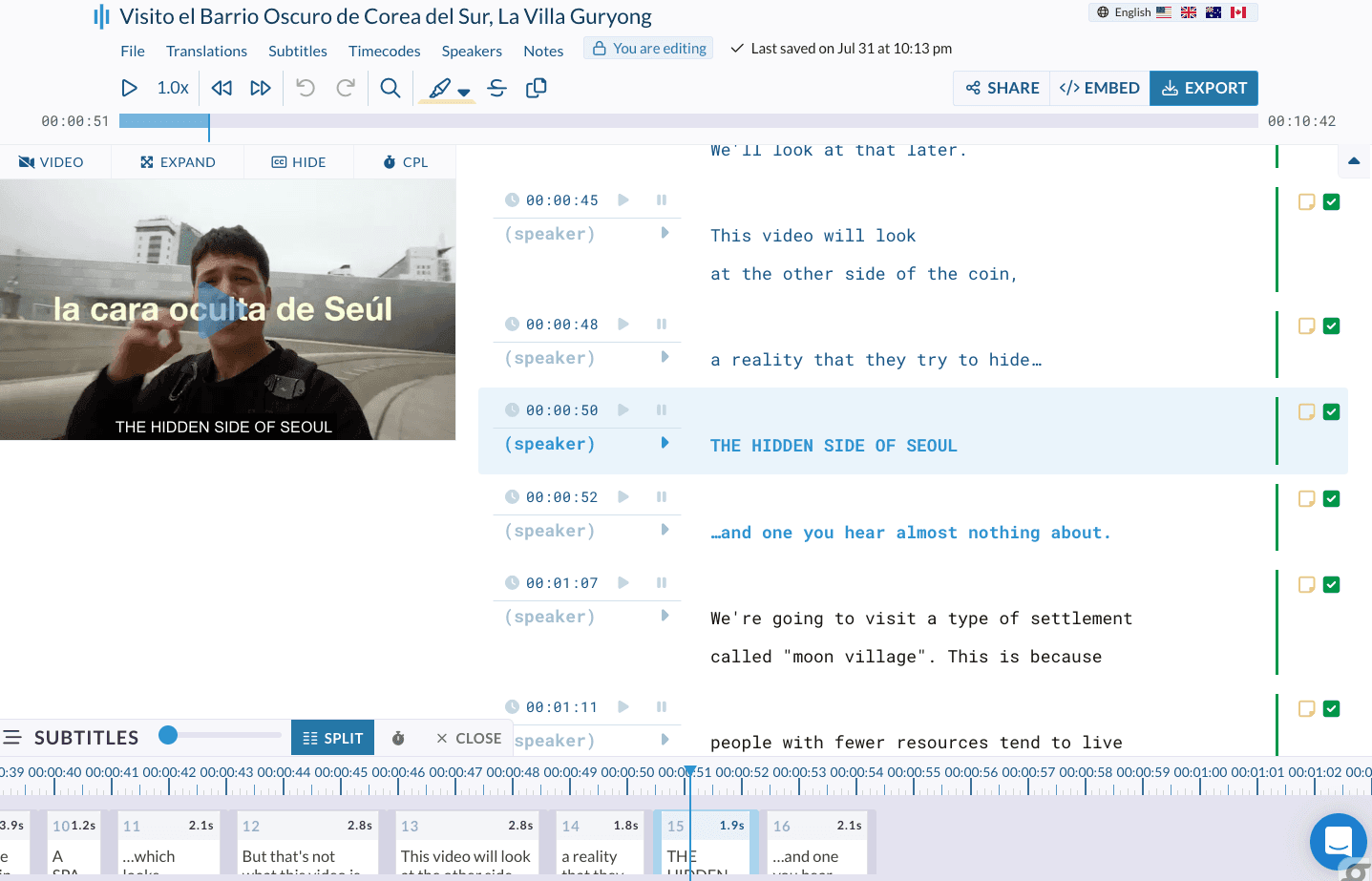
- Automatic transcription of videos and generation of subtitles in the correct language.
- Manual review and synchronization of subtitles.
- Final delivery of SRT files.
Additionally, the client needed a system to track time and log every request, to simplify billing for manual subtitling work based on video length.
The solution
After a careful analysis of the materials and tools on the market, we developed a tailor-made workflow for this client.
To ensure control and traceability, we created a Google Sheets spreadsheet, shared with collaborators, which recorded, among other things:
- information about the video (date received, file name, duration)
- delivery date
- person in charge of subtitling
Communication with the team took place through Mattermost, an open source alternative to Slack, which facilitated coordination between project managers and collaborators.
The client imposed a significant limitation: any member of the client's team needed to be able to upload videos without registering or creating an account on third-party platforms.
We initially chose Sonix, as our transcription tool. However, Sonix does not allow anonymous file uploads, so we set up an automatic replacement flow.
Automation of requests
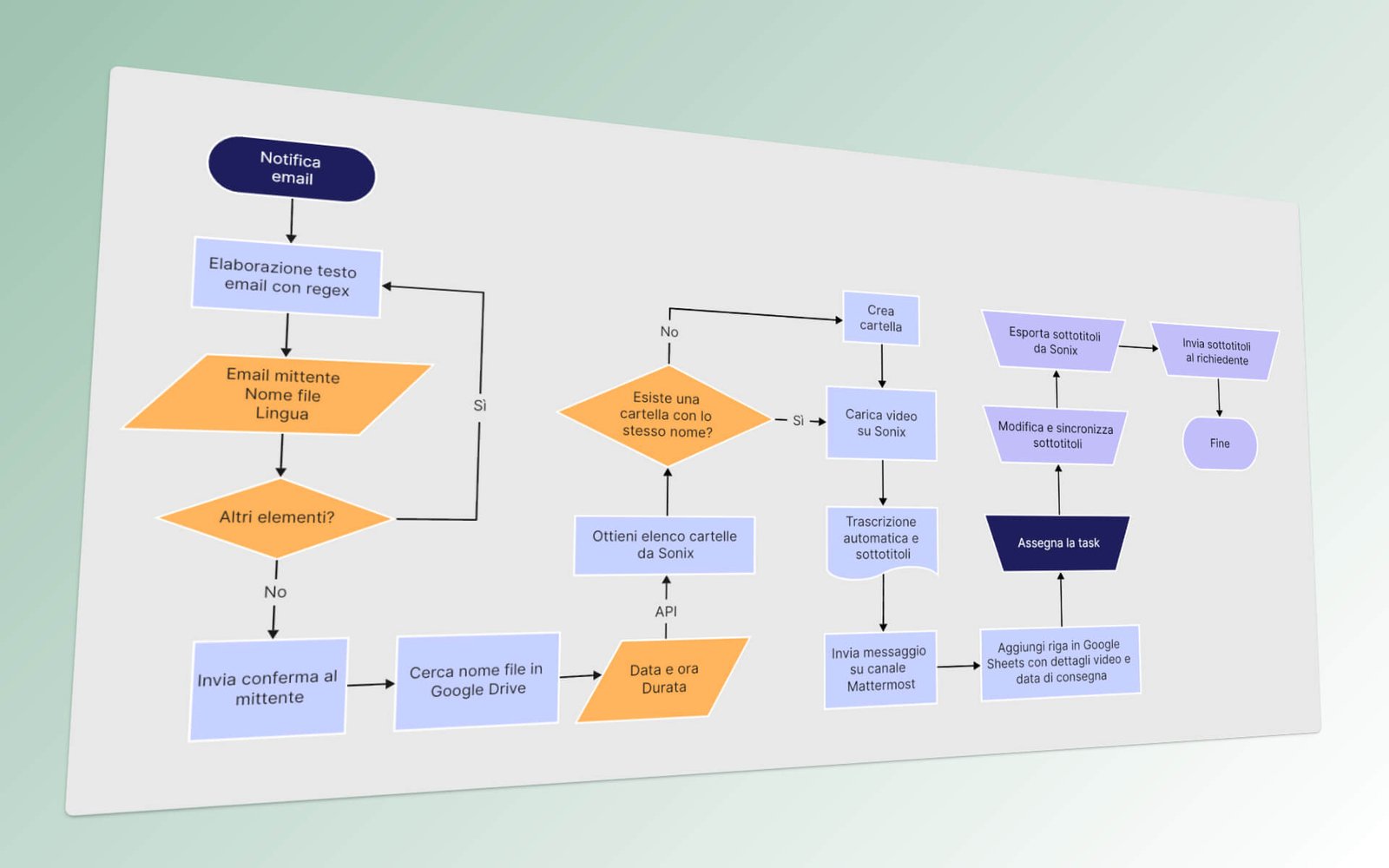
To automate the workflow, we identified the key actions to be performed automatically when each new video arrives:
- importing the video into the Sonix transcription platform
- recording of video data (date, sender, file name, duration) in the Google sheet of the correct language
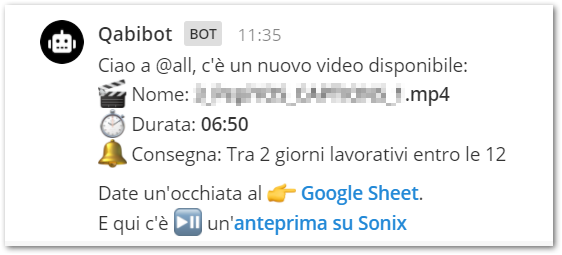
- notify the team via message on Mattermost, in a dedicated channel for each language
A key point was the management of reception and storage of videos.
After evaluating several cloud solutions, we chose Google Drive because of its widespread use and strong integration with automation tools.
The ultimate solution was to introduce a preliminary step by taking advantage of the "File request " function found in DiskStation Manager (DSM). DSM is the operating system used by our company server, on Synology hardware.
The file request feature allows you to create a simple upload page:
- users enter their email address
- then they upload the file
- the video is automatically saved in a folder with the name of the email.
To synchronize this structure with Google Drive we used CloudStation, an application included in Synology's DSM. Every file uploaded to the Synology server was thus automatically synchronized to Google Drive.
Finally, to notify the arrival of new videos, we set up a cron script: every 15 minutes it checked the folders and, if new files were found, it sent an automatic email to the project manager with the path and file name.

Choosing the automation platform
The choice of automation tool was crucial.
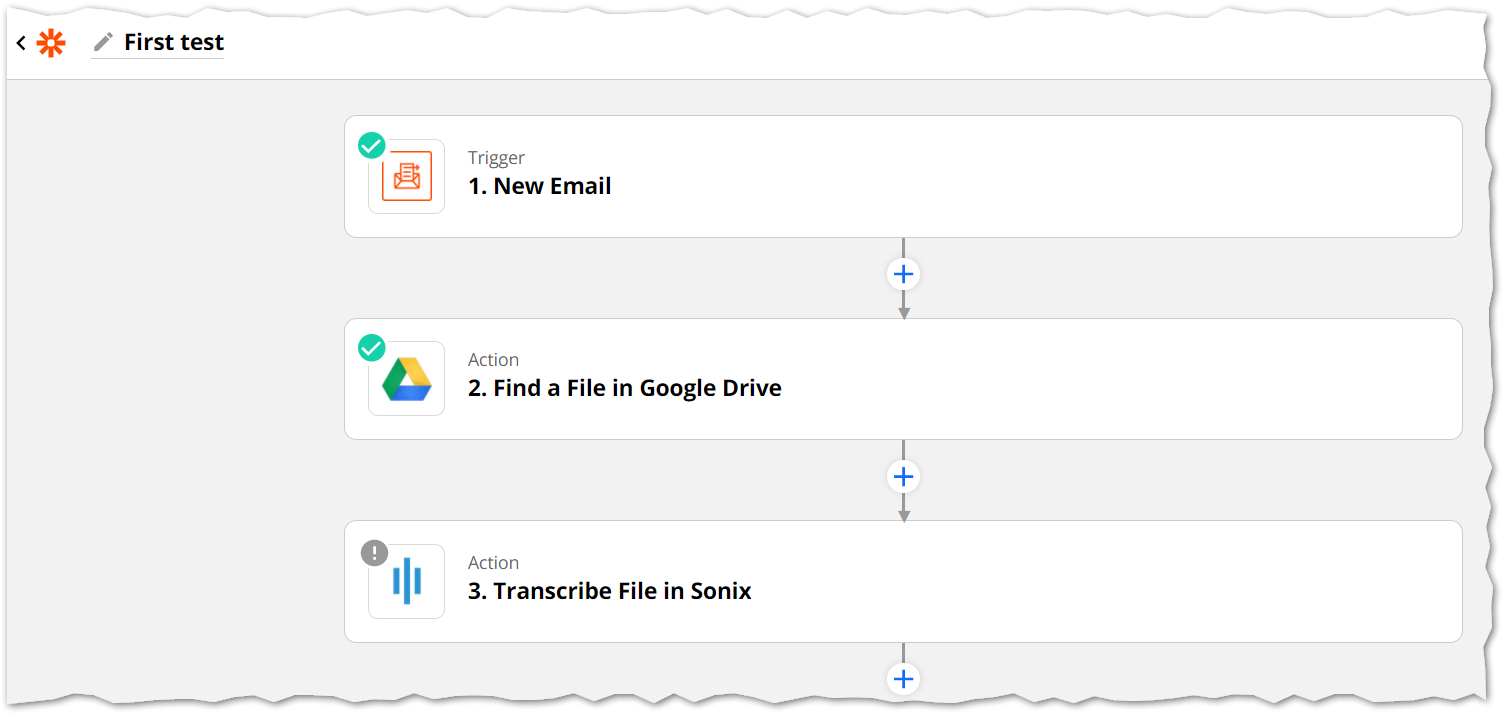
Initially, we evaluated Zapier, which allows you to connect Google Drive and Sonix via predefined integrations: each new file uploaded to Drive was automatically transferred to Sonix for transcription.
However, Zapier had one critical limitation:
Google Drive API does not allow recursive tracking of subfolders. In a project with a subfolder for each editor, it would have been necessary to create an automation for each folder, defeating the very idea of this automation.
We then evaluated alternatives:
- n8n: very powerful and open source, but with complex interface and high learning curve
- Make: interesting, but less flexible to the specific needs of the project
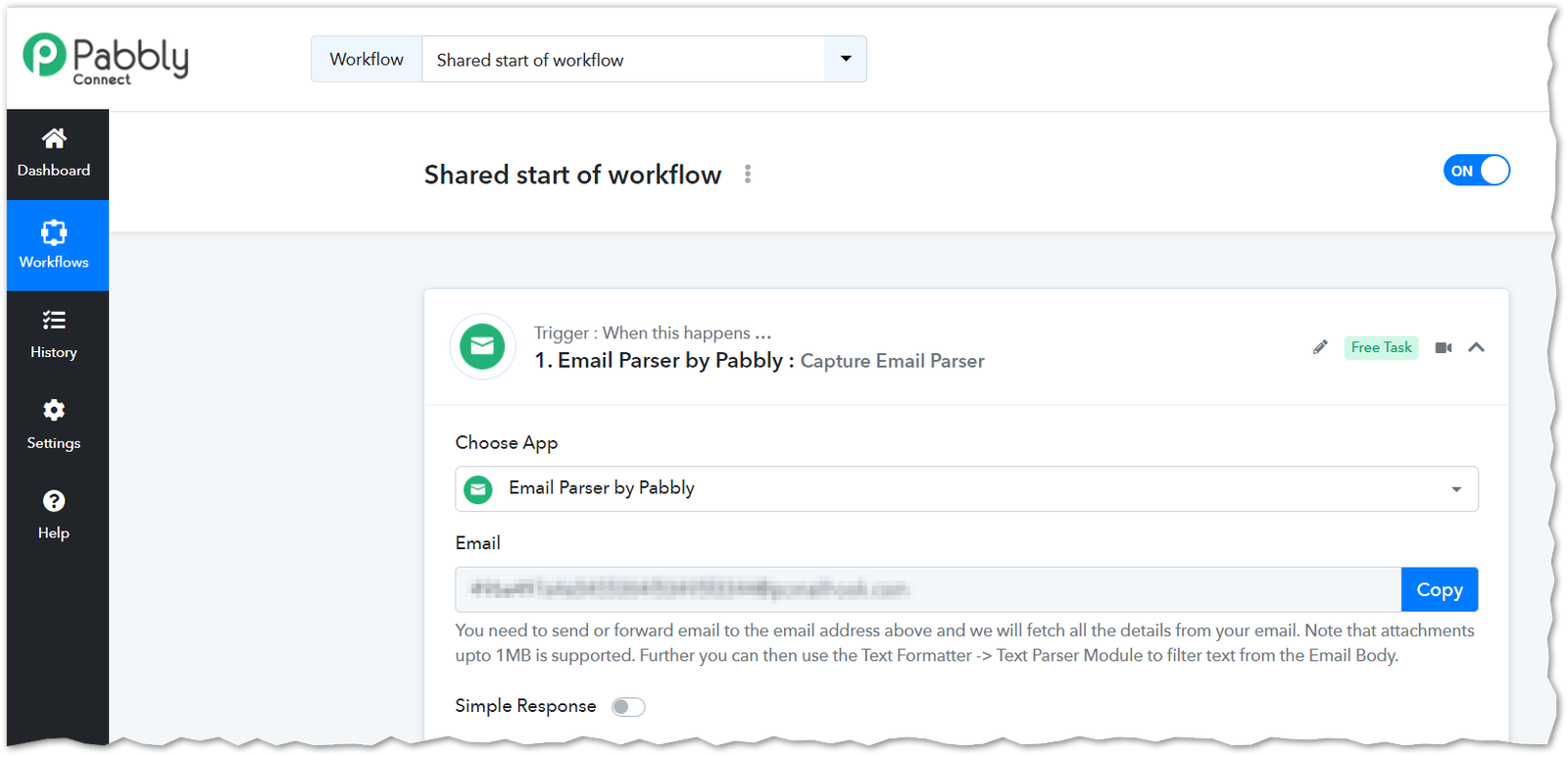
- Pabbly Connect: it stood out for its speed and quality of support and for its efficient management of folders and subfolders.
In the end we chose Pabbly Connect.
Solution development in Pabbly Connect
The main trigger was defined as receiving a notification email addressed to the project manager.
Three basic data were extracted from this message via regular expressions:
- file name
- source folder (based on the sender's email)
- language of the video (IT, ES, PT).
The goal was to transform a text with multiple file paths into an ordered structure.
Example
Original text
/volume1/video/Company_ES/enrique.blanco@company.com/video1.mp4
/volume1/video/Company_IT/mario.rossi@company.com/video2.mp4
/volume1/video/Company_PT/joao.verdes@company.com/video3.mp4
Extracted data
ES
enrique.blanco@company.com
video1.mp4
IT
mario.rossi@company.com
video2.mp4PT
joao.verdes@company.com
video3.mp4To process each video individually, we used the Iterator function of Pabbly Connect, which allows a sequence of actions to be repeated for each element identified.
Complete workflow
- Receiving email as a trigger
- Separating lines using regex
- Data extraction:
- language
- sender email
- filename
- Automatic confirmation email to the sender
- File search on Google Drive
- Metadata retrieval (upload date)
- Check folders in Sonix
- automatic creation if absent
- Uploading video to Sonix
- Google Sheets Update
- Notification on Mattermost for subtitle review
Error and exception handling
The main sources of error were identified:
- API connection problems
- non-compliant file names
- errors in regexes
To minimize these risks, we have taken the following measures:
- automatic reconnection attempts
- pre-validation of formats
- alert system via email and Mattermost
Through these measures the system has become robust, autonomous and reliable.
The result
The project ran for several months with an error rate of less than 5%.
Main results:
- consistent adherence to the 48-hour delivery time
- reduction of human errors
- centralized and real-time communication.
The three main lessons learned:
- importance of triggers
- value of data simplification
- key role of supplier technical support
The customer was fully satisfied with the result, pointing out how the automation transformed a critical process into a reliable and scalable flow. In particular, they highlighted the operational peace of mind provided by real-time control and the drastic reduction of manual tasks.
Further Reading


Services offered to this Marketing agency for digital creators

Italian subtitles
We subtitled videos for this marketing agency for digital creators in Italian, Spanish and Portuguese.
Learn more about our subtitling services
Transcriptions in 3 languages
We transcribed videos for this marketing agency for digital creators into Italian, Spanish and Portuguese.
Learn more about our transcription services
Process automation
We created an automatic workflow for this marketing agency for digital creators.
Learn more about our automation servicesGet the same results as this marketing agency for digital creators!
Let us know what you need by sending an email to hola@qabiria.com or by filling in the contact form. We guarantee a response within 24 hours, but usually we’re much faster.
Contact us